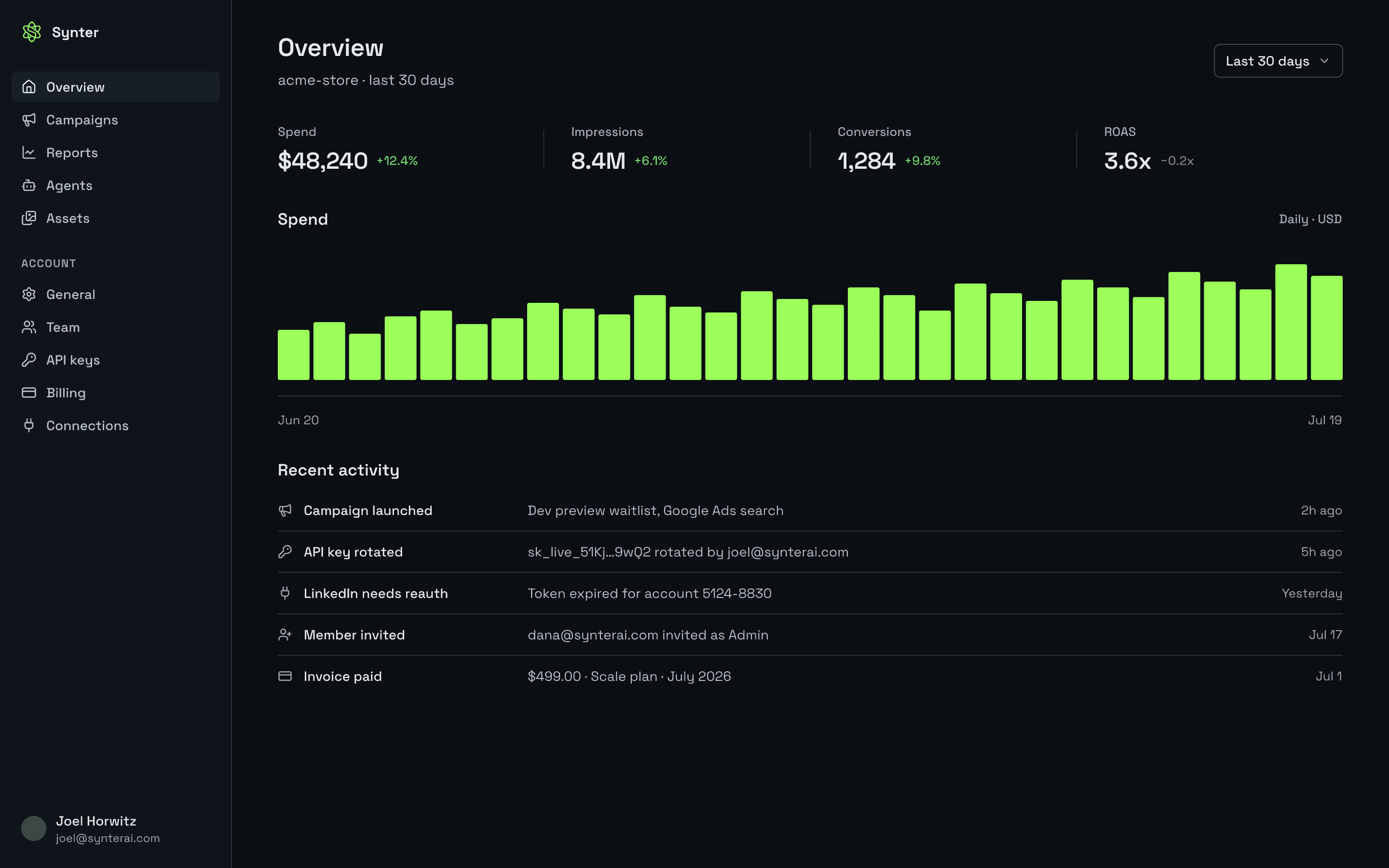
Connect Claude, Codex, Cursor, or VS Code to your ad accounts through Synter MCP. Review performance and prepare supported changes, with scoped access and your workspace’s approval rules.
Start with a performance review. Confirm your workspace and advertiser account, then review costs before approving a metered read.
Hosted MCP · browser OAuth. No Synter package or API key needed.
claude mcp add --transport http --scope user synter-ads https://mcp.synterai.com
Run claude mcp add --transport http --scope user synter-ads https://mcp.synterai.com in your terminal.
Start Claude Code, open /mcp, select synter-ads, and complete Synter sign-in in the browser.
Return to Claude Code and run the first-read prompt below.
Already connected? Reuse your existing Synter server. A copied command or install link does not verify access.
Verify access in your agent
Confirm your workspace and advertiser account. Show current costs before calling tools and approve metered reads separately.
Before any Synter tool call, including diagnostics and account discovery, inspect its current runtime pricing and show me the cost; do not guess whether the call is free or how many credits it costs. If the cost is unknown, stop and ask for clarification rather than running the call. Confirm my approval before any metered call. Connect to Synter and confirm which workspace I am using. List the connected advertiser accounts and ask me to choose if there is more than one. For the selected account, summarize the last seven complete days in the account timezone only if the tool supports that exact window. State the exact start date, end date, timezone, account name, and account ID before running the read. If the tool only supports a rolling window or includes today, disclose the actual dates and timezone and ask my permission to use that window instead; never label it seven complete days. Report spend, conversions, and CPA where available, and explain missing or zero-delivery data without fabricating recommendations. MCP OAuth authorizes this coding client to use Synter; advertiser OAuth separately authorizes the platform connection. If no account is connected or authorization has expired, explain the specific connection that needs attention and do not claim success. Do not change campaigns or create new resources.
Success means an authenticated response for the intended account, with the reporting dates and timezone stated. Agent sign-in and advertiser authorization are separate. Installation does not authorize campaign spending.
BUILT FOR DEVELOPERS43Platform catalogMCPAgent toolsOAuthAccount accessAPIWorkflow integrationCLITerminal workflowsLogsExecution history
THE PROBLEM
Give your agent access to the ad platforms you use.
Ad platforms use different APIs, authentication, and campaign models. Synter exposes supported operations through one MCP server, so you can work from your existing agent client.
01
Platform APIs work differently
Each platform has its own campaign models, targeting rules, and reporting fields. Use MCP tools to read and prepare supported operations from the client you already use.
02
Live writes need execution controls
Campaign changes need connected accounts, permissions, and spend limits. Synter applies configured approval rules and records supported actions so you can review what ran.
03
Account context needs to stay current
Give your agent live campaign structure and performance data from connected accounts. Use that context to prepare targeting, creative, and budget changes for review.
Start with a performance review. Ask your agent to compare spend and conversions, flag campaigns to investigate, and explain its recommendations before preparing changes.
Check reporting, campaign creation, and editing support for your platform. Availability depends on the platform API, your connected account, and its permissions. Review the integration capabilities and tool catalog before you connect.
Platform permissions and workspace rules determine which accounts and operations your agent can use.
Workspace isolated
Credentials and data are isolated per tenant. Nothing crosses between workspaces.
Fully audited
Inspect execution history to review supported tool calls and their results.
Manage connected accounts and revoke platform authorization in your workspace settings.
AGENCY & MULTI-BRAND ARCHITECTURE
Built for teams and agencies managing multiple brands.
SCALE includes five seats in one brand workspace. Choose CUSTOM for multi-client requirements. Give operators scoped MCP and API access, with each client’s accounts and approval rules in its own workspace.
Centralized MCP & API Gateway
01
One gateway, multi-user access
Connect authorized operators through their existing MCP clients. Keep provider connections and execution policies in the workspace, and issue scoped credentials for the access each operator needs.
Granular Multi-Platform Execution
02
Find the operations your workflow needs
The 16-platform catalog spans search, social, retail, and programmatic. Reporting, campaign changes, targeting, and creative operations vary by platform and connected account. Check the integration matrix and tool catalog before building.
Multi-Client Isolation & Governance
03
Strict workspace separation & approval gates
Keep client credentials, accounts, and assets in their intended workspace. Supported changes follow configured approval rules; inspect execution records and provider readback to confirm the effective state.
Transparent Commercial Model
04
Zero percentage-of-spend fees
SCALE is $500/mo per workspace, with $500.00 in claimable monthly credits. Claim them each billing period in the app billing portal. Tool calls are metered, and advertising spend is billed by the platforms. CUSTOM terms are sales-led.
Build a reporting assistant, prepare campaign drafts, or review budget changes from your editor or terminal. Start with read-only tools and add supported writes through your workspace approval rules.
“Synter is improving its capabilities super fast.”
Al N. · Data Lead, Client Strategy · Verified current user on G2 · September 8, 2026
Give your agent a source campaign and a target platform. Prepare a new draft with the target platform's objectives, audiences, and creative requirements, then review the changes before launch.
From · Google Ads
Brand Search
ObjectiveConversions
Daily budget$400 / day
TargetingUS · brand terms
Spend$11,240
Synter
→Remap objective to platform equivalent
→Translate audiences and geo
→Rebuild creative to native specs
→Adjust bidding
→Confirm tracking attribution
→Hold for your approval
To · Meta
Brand Search
ObjectiveConversions
Daily budget$400 / day
TargetingUS · lookalike
Spend$0 until approved
THE CONTROL LAYER
Tools, account access, and execution controls.
Build workflows with platform tools and reusable skills. Synter resolves the connected account and applies configured execution rules before supported changes run.
01
Knowledge
Reusable agent skills
Brand context, SOPs, and campaign skills the agent can call. Every procedure is versioned and auditable.
02
Actions
Discoverable MCP tools
Query campaign structure and performance, prepare creative, and submit supported campaign and budget changes.
03
Connections
OAuth and API-key connections
Connect supported ad accounts and measurement tools with credentials scoped to your workspace.
04
Control
Dry runs / approvals / audit trail
Apply configured approval rules and spend limits, then inspect the execution history of supported actions.
Integrations
Connect the data your workflow needs.
Bring ad accounts, analytics, CRM, and commerce context into your agent workflow. Authorize each supported connection through its OAuth or API credentials.
Ad platforms
Google AdsMetaLinkedInTikTokRedditMicrosoftXAmazon AdsYouTubeSnapchatPinterestSpotifyOpenAI
Turn on what your agent needs, priced by usage. Add-ons are available on SOLO, SCALE, and CUSTOM.
Creative
On-brand ads on demand
Generate text, image, video, and UGC creative that passes a brand and quality gate before it ships.
usage-based · see current tool rates
Audiences
Signal-built audiences
Build ABM and lookalike audiences from buying signals, then sync them to supported destinations.
usage-based · per audience synced
Signals
Buying-signal discovery
Find accounts by hiring, funding, ad-spend, and intent signals, and route them into campaigns.
add-on · metered by lookup
Landing pages
Message-matched pages
Ship landing pages that match ad intent, hosted on your domain with tracking wired in.
usage-based · per page published
Prospecting
Outbound that compounds
Turn engaged accounts into sequenced outbound with the Synter Prospector agent.
add-on · per enriched contact
Reusable procedures
Give your agent advertising procedures.
Use documented skills for launch checks, account audits, and campaign analysis. Each procedure gives your agent the context and checks needed to prepare supported operations.
01
Launch preflight
Verifies geo targeting, exclusion lists, tracking, and budget before any campaign goes live.
Every launch
02
Geo-integrity audit
Confirms location criteria exist, presence-only matching is on, and clicks match intent — no fraud-geo delivery.
Every launch
03
Kill or scale rules
Decides whether to cut or scale a campaign against minimum-data guardrails and platform step limits.
Daily
04
Pre-pause analysis
Runs a full-funnel check — click validation, destination, objective alignment, learning window — before spend stops.
Before pause
05
Negative keyword mining
Mines search-term reports for waste, categorizes negatives, and resolves cross-campaign conflicts.
Weekly
06
Creative rotation
Detects fatigue from frequency vs CTR decay and rotates creative before performance degrades.
Weekly
Measurement
Build workflows around conversion data.
Inspect tracking configuration, compare attribution, and prepare measurement changes using connected account data. Review the underlying signals before changing bidding or budgets.
Before bidding
Data hygiene
Pixel and CAPI auditing
Audit pixel and Conversions API setup, deduplication, and supported platform quality signals.
Enhanced conversions and server-side tagging
Sets up first-party, server-side measurement so bidding runs on trustworthy signal, not lossy client data.
Consent mode
Review consent mode v2 and measurement configuration for your supported integrations.
Offline conversion upload
Feeds CRM outcomes back to the platform so the agent optimizes to revenue, not clicks.
Before reporting
Attribution and measurement
Multi-touch attribution
Compares attribution models and surfaces assisted conversions instead of last-click illusions.
Incrementality tests
Designs and runs geo holdout and lift studies to measure true incremental value from spend.
MMM budget planning
Runs marketing-mix modeling to project revenue and channel ROI before you reallocate budget.
Skill library
Advertising skills your agent can use.
Add advertising skills to your agent's workflow: campaign structure, creative checks, keyword analysis, and measurement. Browse the procedures and choose the ones your integration needs.
Creative patterns · 12
Google creativeMeta creativeLinkedIn creativeReddit creativeTikTok creative
You set the boundaries. Synter enforces them on every action and records what happened.
Speed
It checks your account before it changes anything
Read connected account state to ground recommendations, then review supported changes before execution.
Control
Every action is checked against your playbook
Apply reusable procedures and your workspace’s configured execution rules to supported changes.
Security
Access is scoped, isolated, and logged
Scoped OAuth tokens per platform, workspace isolation, and a full audit trail on every write.
$ synter approvals pending
→ budget change · Google Ads · Brand Search
$400/day → $520/day · +30%
waiting on your approval · expires in 24h
Add spend monitoring to your workflows.
Use spend, pacing, and delivery data from connected accounts to configure monitoring. Apply the notification and hold rules available for your workspace and platform.
Bounded
Spend, pacing, and delivery are watched continuously against your caps.
Notifications
Anomalies surface in Slack or email the moment they cross a threshold.
Automatic holds
Spend is held automatically and the agent waits for you before resuming.
Install Synter in the client you use.
Three steps
01
Install
Choose Claude, Codex, VS Code, Cursor, or another supported MCP client in the install guide.
claude mcp add --transport http --scope user synter-ads https://mcp.synterai.com
02
Sign in securely
Finish Synter browser OAuth, confirm your workspace, then connect your advertiser account in Settings → Credentials.
03
Verify access
Use the verification prompt above. Review costs before calling tools and approve metered reads. Confirm an authenticated response for the intended advertiser account.
FAQ
Questions, answered.
Everything you need to know about our centralized gateway, execution granularity, multi-client security, and commercial model.
Can multiple team members connect through Synter MCP and API?+
Yes. Authorized operators can connect their MCP clients with scoped workspace access. SOLO includes one developer seat; SCALE includes five seats in one brand workspace. CUSTOM terms cover multi-client requirements.
Which campaign operations can I run?+
Available reporting, targeting, bidding, creative, and campaign changes depend on the platform API, connected account, and tool. Check the integration matrix and tool catalog for the operation you need. A catalog listing does not imply every operation is available.
How do we keep client accounts and approvals separate?+
Use a dedicated workspace for each client’s connections and assets. Confirm the intended workspace and advertiser account before calling tools. Supported changes follow configured approval rules and spend limits; review execution records and provider readback afterward.
Does Synter charge a percentage of advertising spend?+
No percentage-of-ad-spend fee is listed in Synter’s pricing. Synter bills for the subscription and metered tool usage. Ad platforms bill your advertising spend separately. CUSTOM agreements are sales-led.
How does pricing work across the plans?+
SOLO is $20/mo or $200/yr; SCALE is $500/mo or $5,000/yr per workspace; CUSTOM is sales-led. Plans include $20.00 (SOLO) or $500.00 (SCALE) in claimable monthly credits, claimed each billing period in the app billing portal. Tool calls are metered. Review current tool rates at https://synterai.com/pricing.
Who pays for advertising spend?+
You pay ad platforms directly for advertising spend. Synter bills for your selected subscription and actual usage, not your advertising budget.
How is creative usage billed?+
Creative generation and other tool calls have their own usage rates. Review the current pricing and the cost of the specific operation before running it; a subscription does not make every creative action free.
Can an agent spend money without operator sign-off?+
Supported changes follow your workspace’s configured approval rules and spend limits. Installation does not authorize campaign spending. Confirm the intended account and approval settings before allowing a workflow to make live changes.
How many platforms are in the catalog?+
Synter’s catalog includes 43 ad platforms across search, social, programmatic, retail and AI channels. Reporting, campaign creation, and editing availability vary by platform API and connected account. Check https://synterai.com/integrations and the tool catalog for the operation you need before connecting.
Which AI agents can I connect?+
Use a supported MCP client such as Claude Desktop, Claude Code, Codex, Cursor, or VS Code. Choose your client in the install guide for its setup and authentication steps.
Put your ad accounts to work in your assistant.
Start on SOLO for $20/mo with $20.00 in claimable monthly credits. Choose SCALE for team workflows or CUSTOM for multi-client requirements.
Subscriptions include claimable usage. Tool calls are metered, and ad platforms bill advertising spend directly. Review the full pricing and current tool rates before running tools. View pricing →